 Orbital Intelligence
macOS

Find what changed.
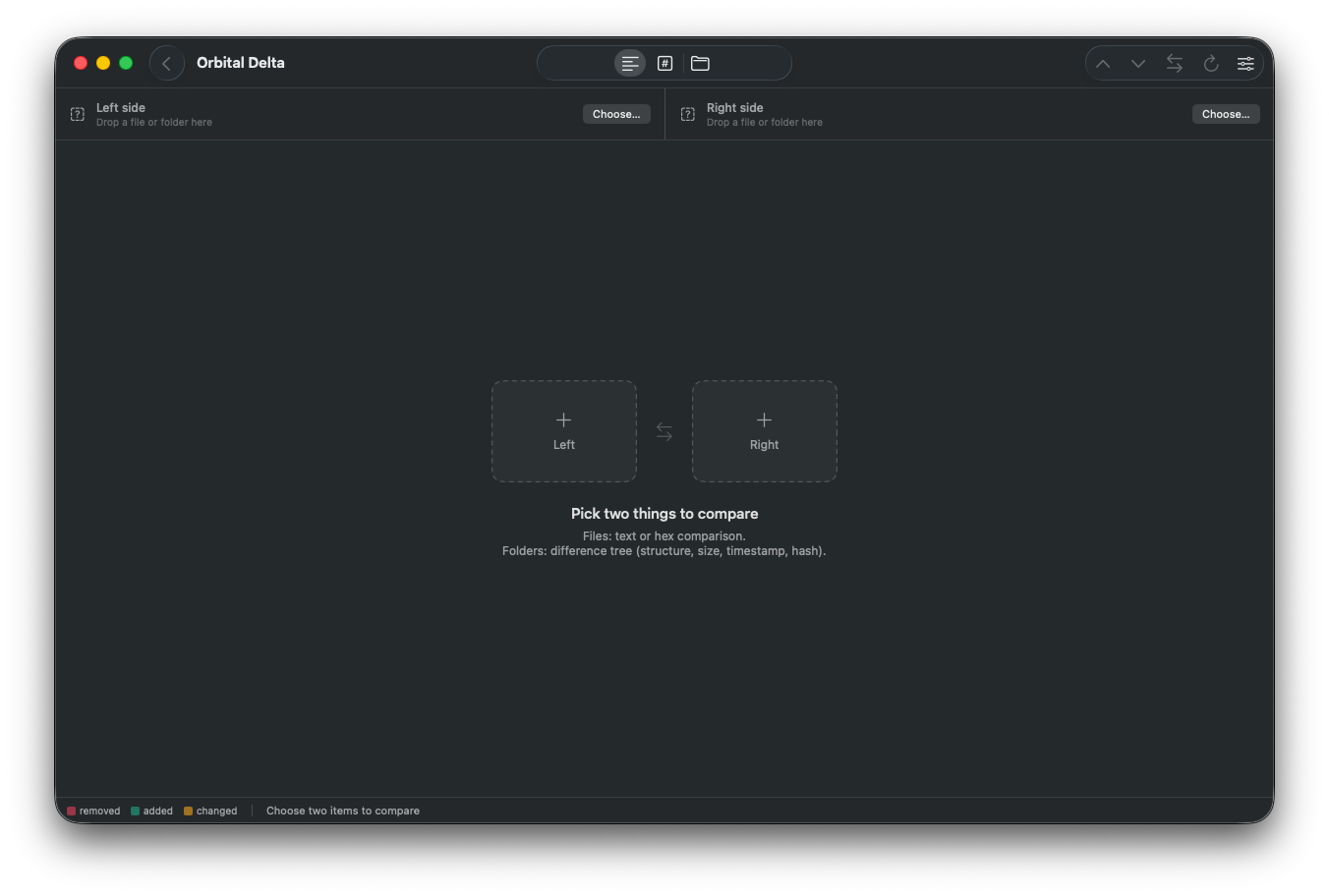
Drop in two files or two folders. Orbital Delta shows every difference — words in a text file, a single inserted byte in a binary, or a whole directory tree — and never writes anything back.
We built Delta so we could see what changed in a file or a folder during a forensic investigation — without writing back to disk and without connecting to a network.
Available on macOS 26 and 27.

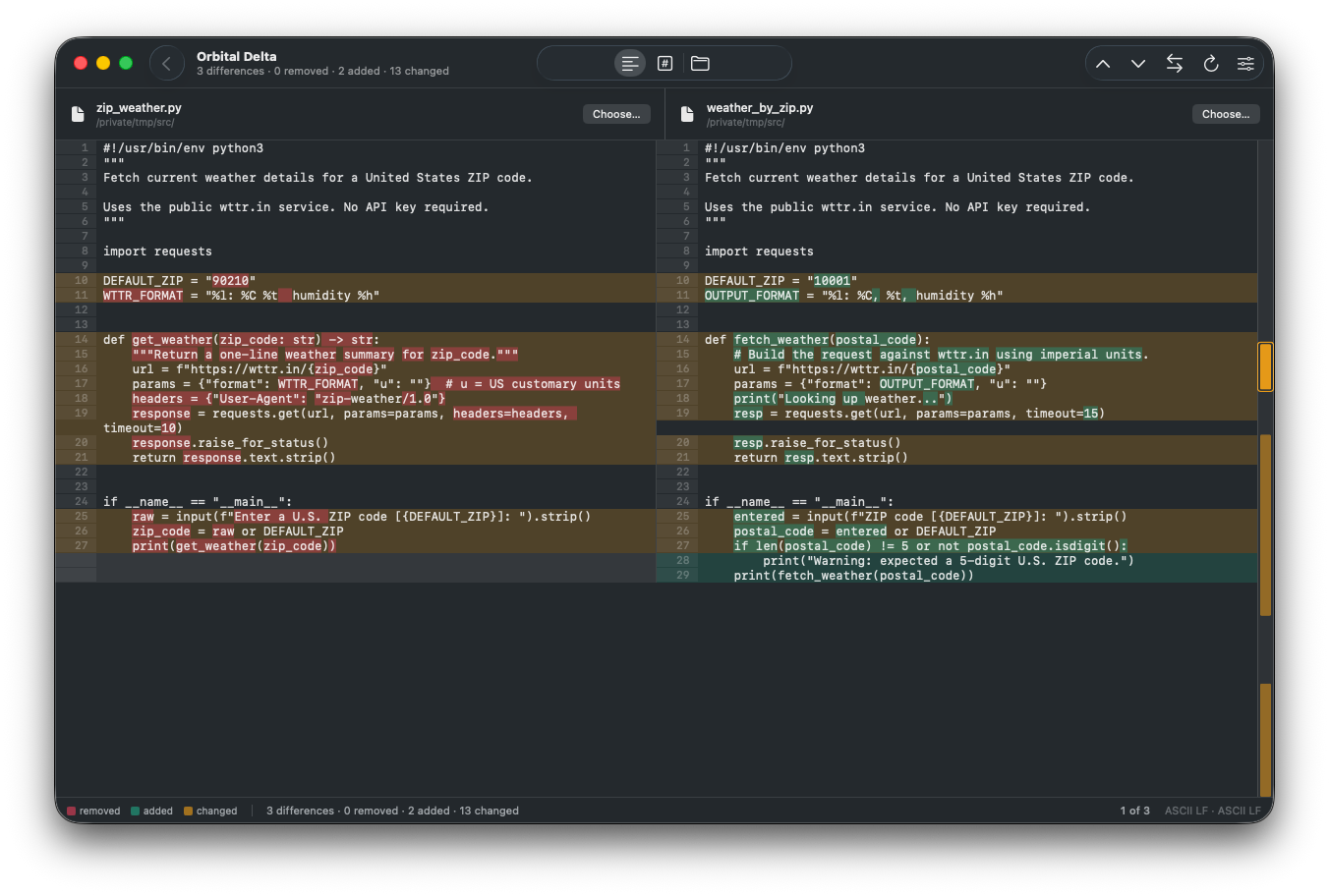
Text Diff Mode -- Two files, line by line.
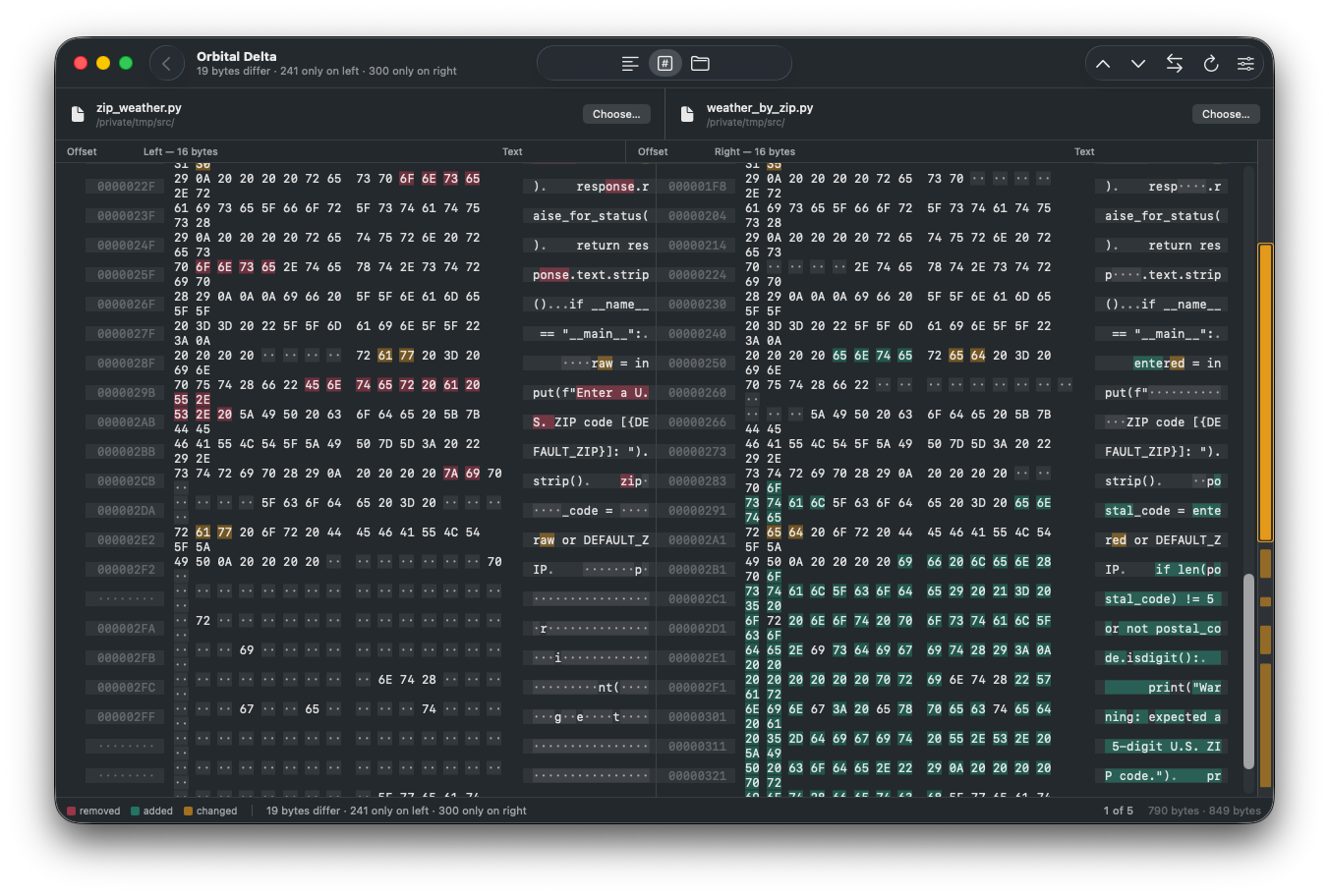
Hex Diff Mode -- Two files, byte by byte.
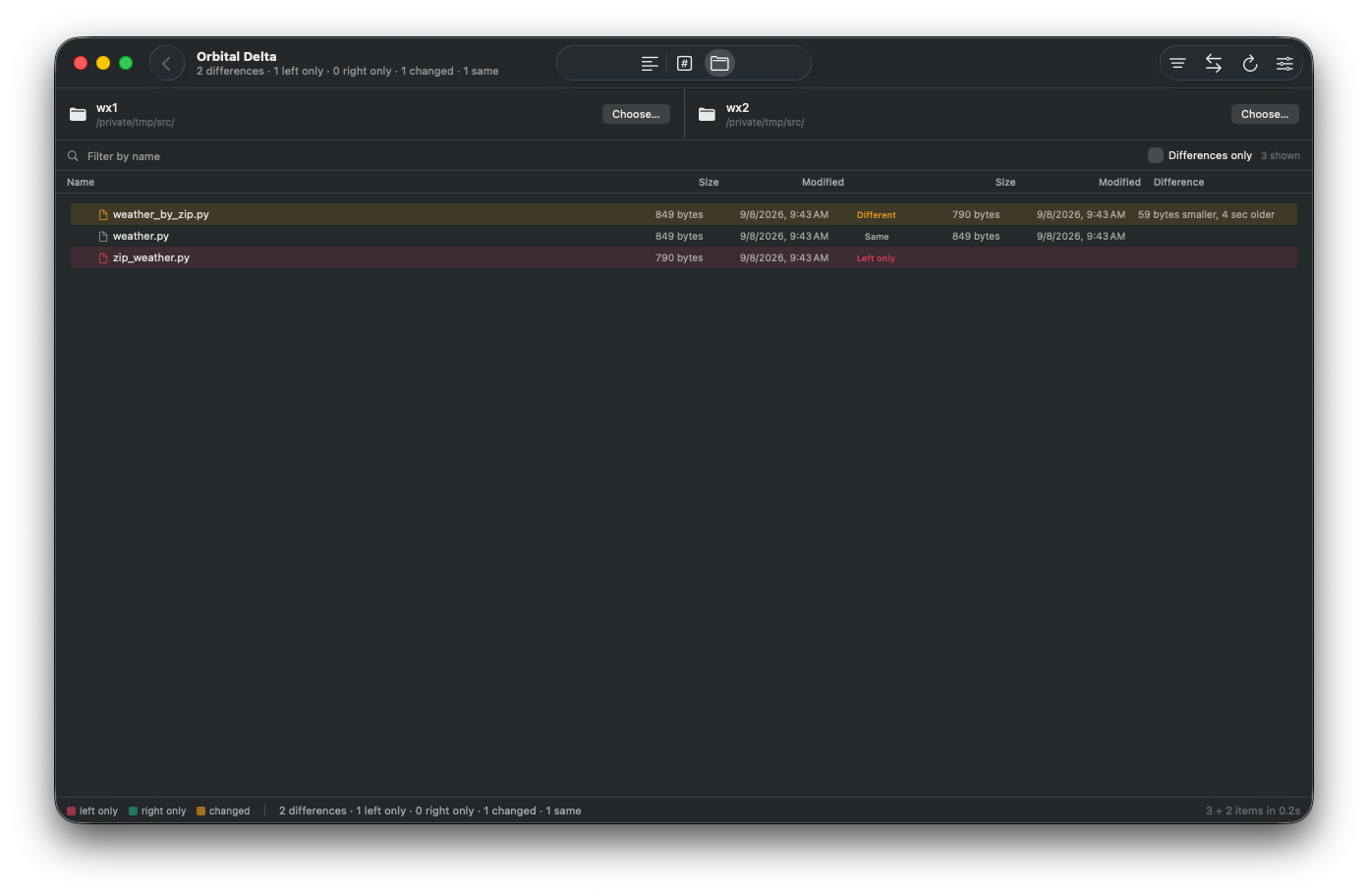
Folder Diff Mode -- Two directory trees with differences in structure, size, date, and contents.
Changed lines are paired so you can read across them, and within those lines Orbital Delta picks out the specific words that moved. You see what changed, not just that something did.
Set your own rules for what counts: ignore case, ignore trailing whitespace, ignore all whitespace, ignore blank lines. Ignored lines don't vanish — they stay on screen, dimmed, so you always know what was set aside.
A proper hex view with offsets, hex columns and the text those bytes represent.
Insert a single byte at the front of a file and most comparison tools will tell you that everything after it is different. Orbital Delta runs a real byte-level diff and realigns around inserted and deleted bytes, marking the gap on the side that's missing them. A one-byte change reads as a one-byte change.
Folders containing differences open on the first look; the ones still collapsed carry a count.
You decide what "identical" means. Matching size and date is fast and usually right, with an adjustable tolerance for filesystems that round timestamps. Size alone is useful after a copy that lost dates. SHA-256 of the contents is exact, and Orbital Delta only hashes files whose sizes already match, so it stays quick.
Double-click any file that exists on both sides of a Folder diff and it opens in text or hex. The folder comparison doesn't go anywhere — it stays in memory, so coming back is instant and nothing is rescanned. You land on the row you came from, still selected, still scrolled into view, with its folders open.
Better still, don't come back at all. ⌥+⌘+↓ walks straight to the next differing file, and the bar keeps count of where you are. A folder comparison becomes a queue rather than a place you keep returning to.
Orbital Delta opens only what you hand it, and never writes to either side. There's no save button because there's nothing to save.
It's sandboxed with read-only access to the files and folders you choose, and it has no network entitlement. Nothing leaves your device because nothing can.
Color means exactly one thing, in every mode. Rose is left-only or removed. Green is right-only or added. Amber is present on both sides but different.
The greens lean toward teal so they stay separable from the rose for the most common forms of color blindness.
Down the right edge is a ribbon: a visual scale drawing of the whole comparison, every difference in its true position and relative size. A file with one changed line near the end looks different at a glance from one that changed throughout. Click anywhere on it to jump.
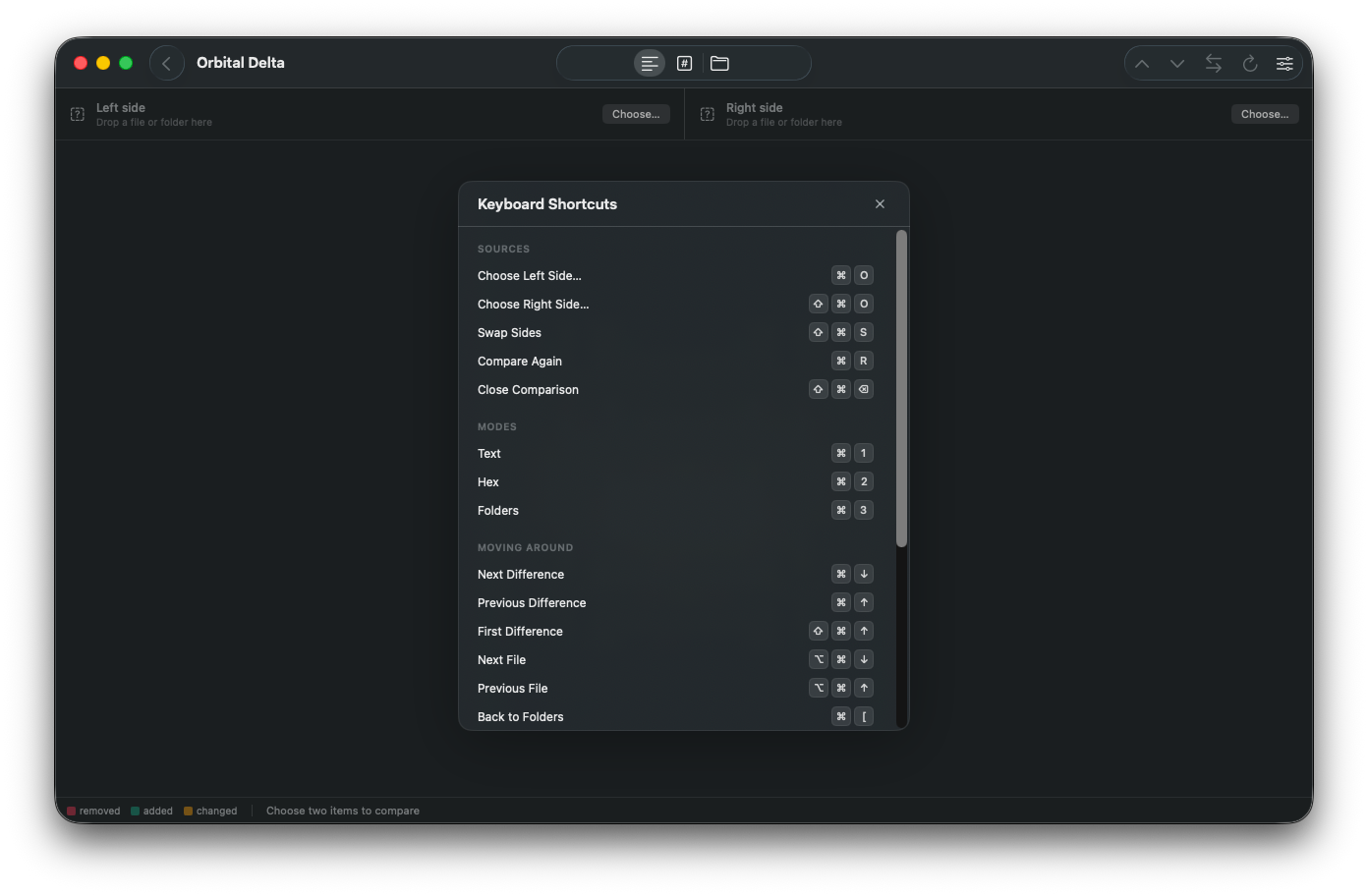
A comprehensive set of keyboard shortcuts to stay in your flow during a diffing session. Move between differences with the arrow keys. Switch modes with a number. Press ⌘+/ to view an overlay of all shortcuts.
Comparisons run off the main thread and cancel the moment you change something, so the window never stops responding — even when you point it at a large tree. A one-byte insert does not paint the rest of the file red.
Still have unanswered questions and need to get in touch?
No. Delta opens the files in read-only mode and has no way to write to them. There's no merge or edit function, by design.
No. Orbital Delta has no network access, no analytics, no accounts.
Yes — that's what the byte view is for. Orbital Delta detects binary content on its own and opens in the right mode.
Text comparison reads files up to 64 MB and byte comparison up to 256 MB. Folder comparison has no practical limit on tree size; scanning shows progress and can be cancelled.
Name patterns you list are skipped before they're ever visited, so directories like node_modules and .git cost nothing.
macOS 27 Golden Gate
macOS 26 Tahoe
Windows 11
Requires:
.NET 9+
Windows App SDK 2.5+
diff -u: word-level marks, hex that realigns, a folder tree that stays in memory.No. Merge and edit are intentionaly not supported to ensure that Delta cannot change files during a forensic investigation.